Admin Panel
The entire store is built and run from the shield button in the store header. It only appears for admins, and every endpoint behind it re-checks the permission server-side — so hiding the button is convenience, not the gate.
Products tab
Search, filter by category, then create or edit. Each product takes a name, description, price, rarity, sort order and the two storefront switches. The editor adapts to the category — a vehicle asks for a spawn name and stats, an item offers an autocomplete picker from your live item list, a bundle lets you stack up to 12 mixed entries.
Images — four ways
- 01Upload — drag a PNG/JPG/WEBP onto the box. The browser downscales it and stores it inline with the product (no file is written anywhere). Limits:
Config.Admin.imageMaxSideandimageMaxBytes. - 02Type a path like
images/zentorno.png— the file must already be inorb-donations/html/images/. - 03Paste an
https://URL. - 04Leave it empty on an item or weapon — the store then pulls the icon straight from your inventory resource (
ox_inventory,qb,qs,ps— auto-detected), so icons match the rest of your server.
Players tab
Everyone online with their balance and a + / − on each row. Set an amount at the top, then click. Taking more than someone holds leaves them at zero rather than in debt — the floor is enforced in the database, so two admins doing it at once cannot race past it. The /addcredit and /checkcredit commands do the same thing.
Admins tab
Add in-game admins (pick an online player or type an identifier) and toggle granular per-admin permissions — each toggle grants or revokes instantly. Server admins from server.cfg always have full access and are not listed here.
Redeem codes tab
Create codes with a credit value, a total number of uses and an optional expiry. Used codes are kept — marked with who redeemed them and when — rather than deleted, so you keep an audit trail.
Settings tab
Everything here saves together, applies immediately, and never needs a file edit:
- Store — currency name and symbol, store title and subtitle, speed unit.
- Purchases — default garage, money account, custom-plate price, cooldown, plate/phone length limits.
- Rarity colours — the colour of each tier.
- Credit packages — the Buy Credit tab (add, remove, re-price, set each Tebex link).
- Drops — enable, cooldown, cards per roll, min/max discount.
- VIP — the tiers, benefits table and each tier's reward pack.
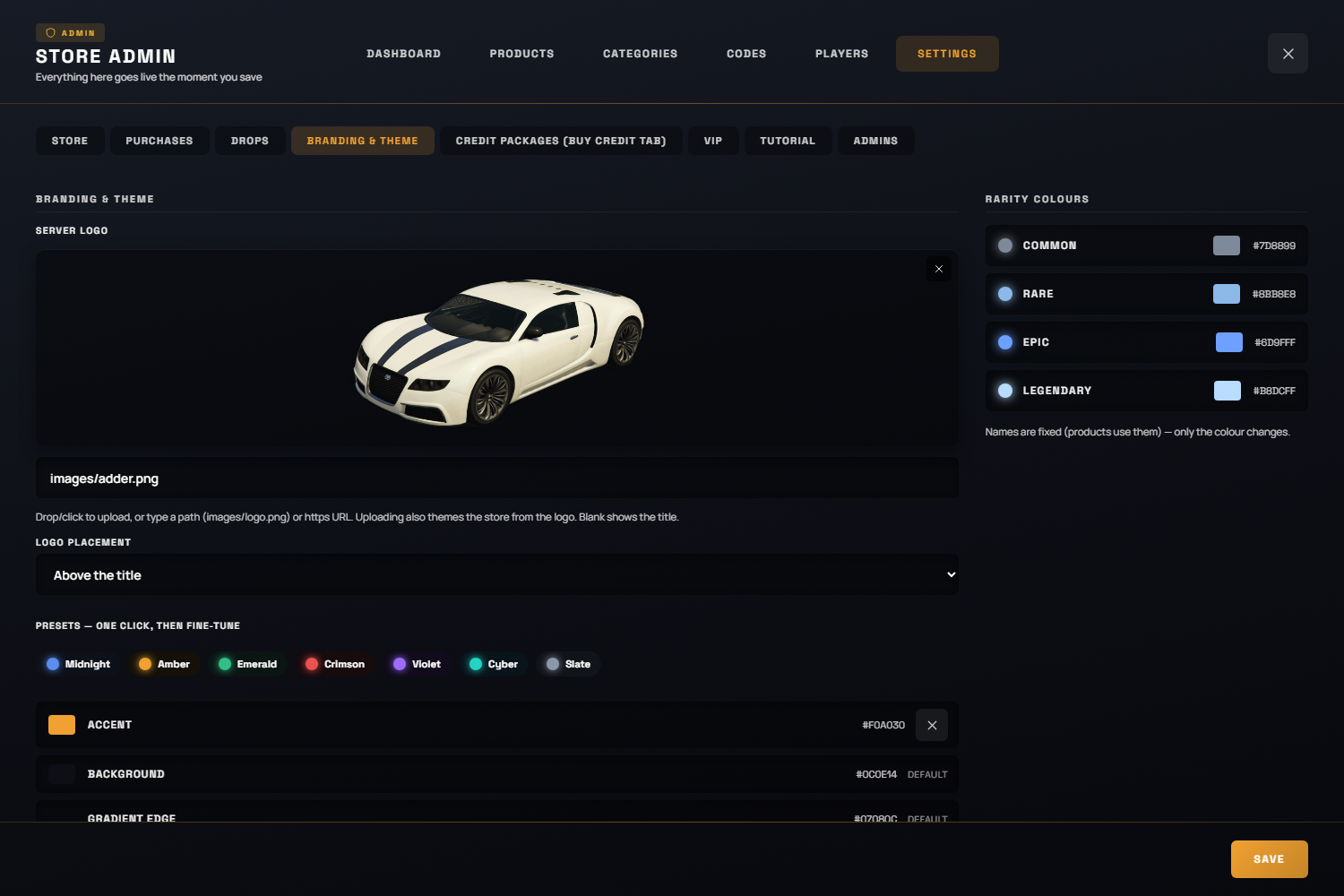
- Branding & theme — upload a server logo and the store auto-themes from its dominant colour; also choose whether the logo sits above or replaces the title. One-click palette presets are available too.
The seed vs. the database
Config.Seed fills a brand-new install only so the shelf isn't empty. After the first run, the database is the only truth and editing the seed does nothing. To rebuild the catalogue from the seed (this deletes every product, including admin-made ones; credits, codes and history are untouched):
orb_donations_reseed confirm