
Jewelry Creator: rehber ve eğitim
Tarayıcında üretilen özel zincirler, yüzükler ve bileklikler.
Video eğitimi yakında geliyor
O zamana kadar aşağıdaki yazılı rehber seni her adımda yönlendirir.
Bu rehber şimdilik yalnızca İngilizce.
What it is
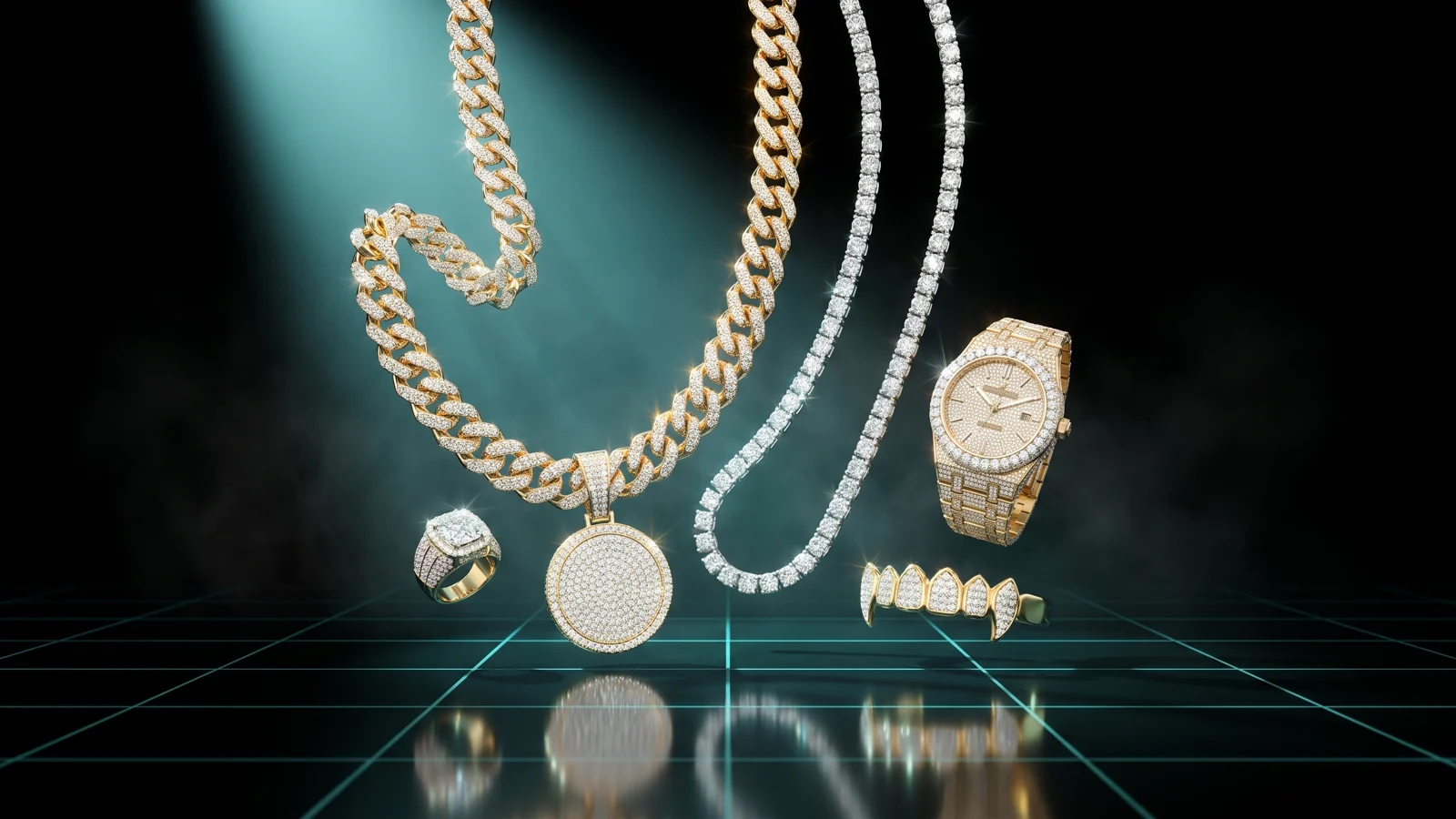
The Jewelry Creator builds jewelry from scratch in your browser, on the real freemode character: chains (Cuban, rope, tennis, figaro and more), rings, bracelets, watches and grills. You choose the shape, size, metal and how much ice, hang a pendant (from our library, your own image or 3D model, or one made by AI), check that it moves with the body, and collect every piece in one pack. You download a single resource (the folder you drop into resources/) that adds all your jewelry to the clothing menu, each colour as a variant.
Who it's for
- Roleplay servers that want custom chains and iced-out pieces in their clothing shop.
- Gang and music servers that want grills, name pendants or watches with their own look.
- Owners who have no Blender or Sollumz experience and want the jewelry to follow the character's body.
Before you start
- An account on THE ORB Studio, signed in with Discord, and membership in our Discord server.
- Optional: a PNG logo or a
.glbmodel if you want your own pendant or piece. - On the Free plan each pack download uses credits (see pricing). AI pendants use credits on every plan.
Choose what to make
The rail on the left walks you through six steps: Piece, Design, Pendant (chains only), Finish, Position and Download. Projects sits at the bottom. Next and Back at the foot of the panel move between steps.
- 1
Pick a type
Chain, Ring, Bracelet, Watch or Grill, with the five buttons at the top.
- 2
Start from a preset
Filter by category (for chains: Cuban, Tennis, Links, Smooth, Stacks, With pendant) and click a card. Hold the mouse over an option for a moment to see a photo of it. You can change everything afterwards.
- 3
Or use your own model
The row Your own chain (or ring, bracelet, watch, grill) uploads a
.glb. For a chain you upload ONE link and it repeats along the neck. For the rest you upload the whole piece, and it goes where ours would.
The tool is in beta. Try each new piece on your server before you sell it, and tell us if the shine, position or movement looks off.
Shape and size
The Design step changes with the type of jewelry.
| Type | What you can set |
|---|---|
| Chain | Link style in four families (Links, Smooth, Stones, Statement): Cuban, Curb, Figaro, Rope, Tennis, Paperclip and more. Length from 42 to 80 cm, thickness from 3 to 22 mm, and Worn over: T-shirt, Tank top, Shirt, Hoodie, Jacket or Blazer, so the chain rests on that clothing instead of going through it. |
| Ring | Style (men's and heavy, women's and stones, bands), the stone (Diamond, Ruby, Emerald, Sapphire, Amethyst, Onyx), width 2 to 8 mm, stone size, ring size, hand, finger (ring or middle) and height on the finger. |
| Bracelet | Type, thickness 3 to 14 mm, slack 0 to 14 mm, and the hand. The left wrist shows in Watches in game, the right one in Bracelets. |
| Watch | Case (Round, Octagon, Square, Tonneau, Cushion), band, case size 32 to 48 mm, dial colour, bezel, stone, dial pattern, markers, hands, date window, hand and slack. |
| Grill | Style (Plain, Iced, Bar, Fangs, Veneers), Top, Bottom or Both rows, and 6 or 8 teeth. While it is worn the mouth stays slightly open so it shows. |
- 1
Stack pieces
In the Pieces row, press Another chain (or ring, bracelet, watch, row) to wear up to 4 together. They ship as ONE piece of jewelry.
- 2
Edit each one
Click a piece's button to edit it; the X removes it.
Hang a pendant
Only for chains. The Pendant step has three ways to add one.
- 1
From the Library
Cross, Plate, Lion, Heart, Star, Crown, Anchor, 8 ball and more. Initial takes up to 3 letters and Name up to 12. Set the pendant size from 2 to 16 cm.
- 2
From an image
A PNG, JPG or WebP up to 12 MB with a transparent background (a logo, a face) becomes a pendant with that outline, some thickness, and the picture on its face.
- 3
From a 3D model
A
.glbup to 12 MB. - 4
Create with AI
Describe it (for example a lion head with diamonds) and press Create. It takes a while and runs in the background; when it is ready it hangs from the chain. It costs credits on every plan (20 at list price); the button shows the price.
Metal, ice and colours
- 1
Metal
Gold, Silver, Rose gold or Black.
- 2
Ice
No ice, One row or Full iced.
- 3
Colors included
Tick more metals and each one becomes a colour variant of the same piece in the clothing menu. The one you see is the first.
- With several pieces or a pendant, buttons at the top let you give each piece, and the pendant, its own metal and ice.
- If the piece passes 40,000 triangles a warning appears: on a full server that weight shows. Lower the thickness or the ice if many players will wear it.
Fix the position
Usually there is nothing to do here. If the piece goes into the body or floats, nudge it.
- 1
Choose what to move
The piece, the pendant, or All when you have several pieces. You can also click it in the viewer.
- 2
Pick a mode
Move (W), Rotate (R) or Scale (E), then drag the arrows in the viewer. Esc lets go.
- 3
Or type exact values
Left/right, Forward and Up in cm; Tilt, Turn and Roll in degrees; Scale from 20% to 300%.
- 4
Check the movement
For chains, the Bend over slider bends the torso so you can see the chain follow the body, as it will in game.
- back in place resets the position.
- Above the viewer: Front, Side, 3/4 and Back cameras, zoom to the piece, Male, Female or Alone (no body), and Undo or Redo (Ctrl+Z, Ctrl+Y).
- The sun button under the viewer changes the light of the preview only.
Build your pack
All your jewelry goes in ONE pack and ONE resource. GTA only has room for about 3 extra clothing collections per body, so one resource per piece would run out fast.
- 1
Name the piece
In Download → This piece, write its Name. Two pieces in a pack cannot share a name.
- 2
Press Add to pack
If the piece is already in the pack, the button says Update in pack.
- 3
Make the next one
Make another piece starts a new one with the same body and clothing.
- 4
Review the pack
Click a piece in the list to open it again; the bin removes it; Empty clears the whole pack.
- The pack is saved in this browser, including your own pendants and models, and comes back when you reopen the tool.
- Projects (in the rail) keeps every piece you design, saved on its own while you work, in this browser.
- To add pieces later, add them to the same pack and download it again. The earlier pieces keep their number, so saved outfits still work.
Share it in the gallery
- 1
Open Download → Share in the gallery
Give it a name and share. A photo of the viewer is used as the picture.
- 2
Others remix it
Subscribers can open it from the gallery: it loads your design in their Jewelry Creator; they download it with their own account. Your own uploaded files are not shared.
What you download
In the Download step, set the Resource name (lowercase letters, numbers and _; empty means orb_jewelry) and press Download pack. The price is charged once per pack, not per piece or colour; on paid plans it is free. If something fails before the pack is finished, the credits come back.
| File | What it is |
|---|---|
stream/…^teef_000_u.ydd and similar | The 3D model of each piece. Chains and rings use the neck accessory slot, grills the decals slot, watches and bracelets the wrist slots. |
stream/…_diff_000_a_uni.ytd and similar | One texture per colour of each piece. |
stream/mp_m_freemode_01_<name>.ymt | Tells the game the collection exists and what it holds. One per body (male and female). |
mp_m_freemode_01_<name>.meta | Puts the collection in the clothing shop. One per body. |
fxmanifest.lua, client.lua | Registers everything and adds the test command. |
README.txt, LEEME.txt, LEIAME.txt | Install steps in English, Spanish and Portuguese. |
A piece with watches or bracelets on both wrists is split in two: one per wrist, named _left and _right.
Install it on your server
- 1
Unzip and drop the folder in `resources/`
It is named after the resource, for example
orb_jewelry. - 2
Add it to `server.cfg`
As below.
- 3
Restart the server
Then connect.
ensure orb_jewelry
| Command | What it does |
|---|---|
/orb_jewelry 1 | Puts the first piece on you, first colour. |
/orb_jewelry 2 1 | The second piece, second colour (colours count from 0). |
/orb_jewelry off | Takes the jewelry off. |
/orb_jewelry list | Lists the clothing collections your character has loaded. |
The command has the same name as your resource. In illenium-appearance, fivem-appearance, qb-clothing and similar menus, chains and rings appear at the end of the chains and accessories list, grills under decals (so they can be worn with a chain), and watches and bracelets in their own category: left wrist in Watches, right wrist in Bracelets. No config to edit.
With ORB Core linked (Connect your server, next to the download button), press Send to server: the pack installs in resources/[orb]/[jewelry]/ and starts. Sending again replaces the whole pack, so keep every piece in it. Players already online have to reconnect to see new pieces.
Common problems
Other clothing packs stopped showing, or mine does not show
GTA has room for about 3 extra clothing collections per body. Do not download one resource per piece: keep all your jewelry in one pack, delete the extra jewelry resources and restart.
The test command says the pack is not loaded on my character
New clothing attaches when you connect. Reconnect and try again.
My own pendant or model is gone when I open a piece
Custom files are kept in this browser. If you cleared your browser data or changed browser, upload the file again.
My custom link is refused as too detailed
A link repeats about 60 times along the chain, so it must stay under 1,600 triangles. A full piece (ring, watch) can have up to 60,000 triangles and weigh up to 20 MB.
It says there is already a piece with that name
Each piece in a pack needs its own name. Change the Name in This piece.
The chain clips into a jacket
Set Worn over in the Design step to the clothing your players wear most, or move the chain forward in Position.
Questions
Do I need Blender or Sollumz?
No. The jewelry is generated in your browser and our server only seals the game files.
Can I add more jewelry later?
Yes. Add the new pieces to the same pack and download it again with the same resource name. Earlier pieces keep their numbers, so saved outfits keep working.
Why one pack for everything?
Each clothing resource uses one of the few clothing collections GTA allows per body. One pack with everything uses one.
Do the colours count as separate items?
No. Each extra colour is a variant of the same piece in the clothing menu.
How much does it cost?
On the Free plan each pack download uses credits, once per pack; paid plans download for free. AI pendants cost credits on every plan. See pricing.
Can men and women both wear it?
Yes. Switch the body above the viewer before you add the piece to the pack. A pack with both bodies ships one collection for each.
Checked against the tool on November 15, 2026.
Jewelry Creator aracını şimdi dene
GTA ped'i için zincir, yüzük ve bileklik tasarla; sunucunun yüklediği bir kıyafet kaynağı al.
Karakterler için diğer rehberler
- Dövme StüdyosuHerhangi bir görsel, mağazanın yükleyebileceği bir dövme paketine dönüşür.
- Animation CreatorHer animasyon ya da video, GTA ped'inde, emote olarak.
- Vest CreatorOyundan ya da senin yelek, vücut üzerinde tasarlanır.
- Clothing CreatorKıyafeti bedenin üzerinde tasarla, resource'u al.
- Ped CreatorFiveM ped'ini giydir ya da yapay zekâyla yenisini yap.
- Animal CreatorYapay zekâyla FiveM hayvanı yap.


